How to add iCloud Drive to the dock in macOS. You can access iCloud Drive from Finder, but for a quick way to see you cloud files you can add a shortcut to the Dock. As the icon for iCloud Drive is inaccessible from the Applications folder, we will show you 2 ways to add this onto the Dock.
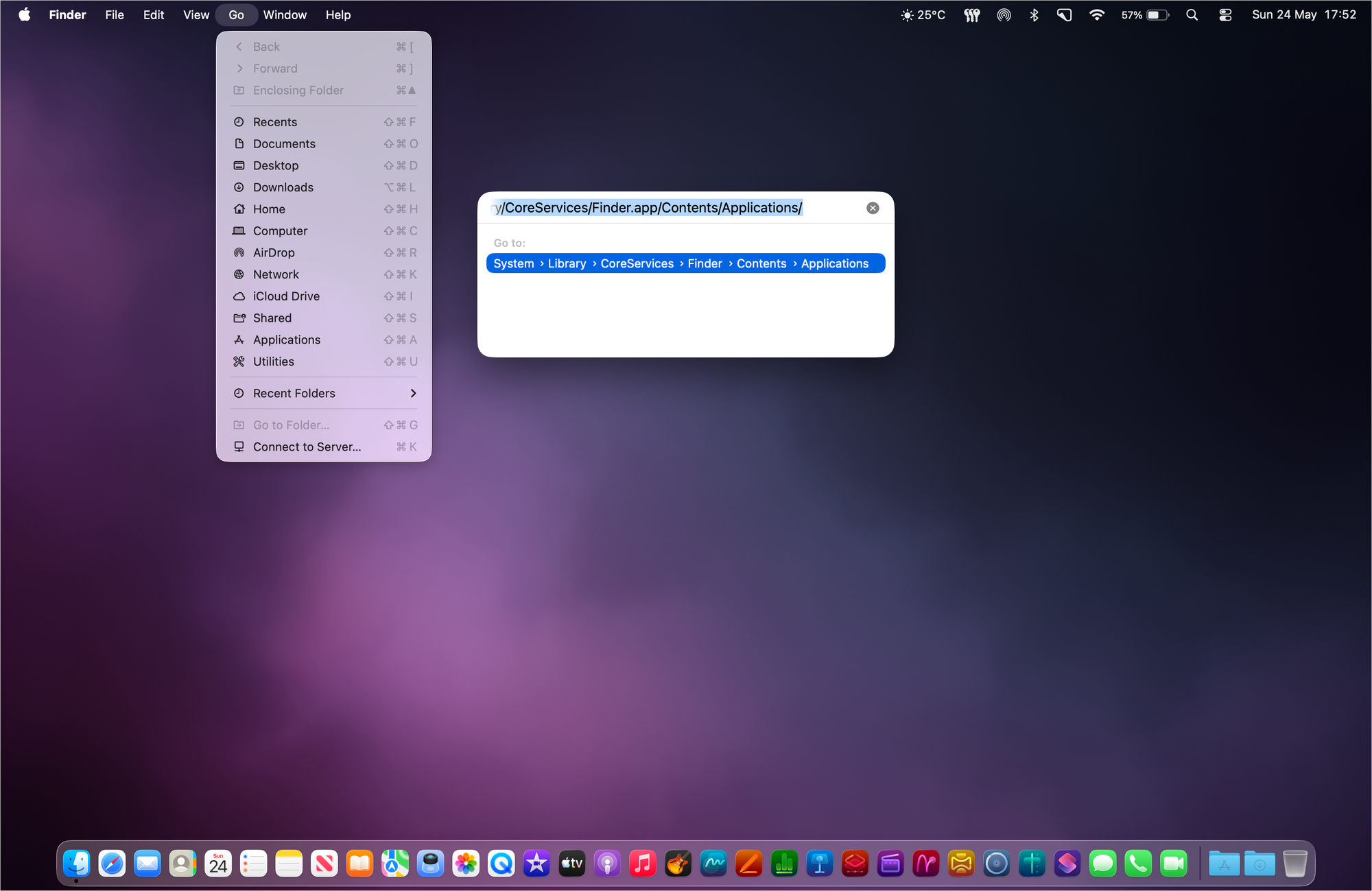
Pasting the pathway address in the Go to Folder… > Enter a path field.
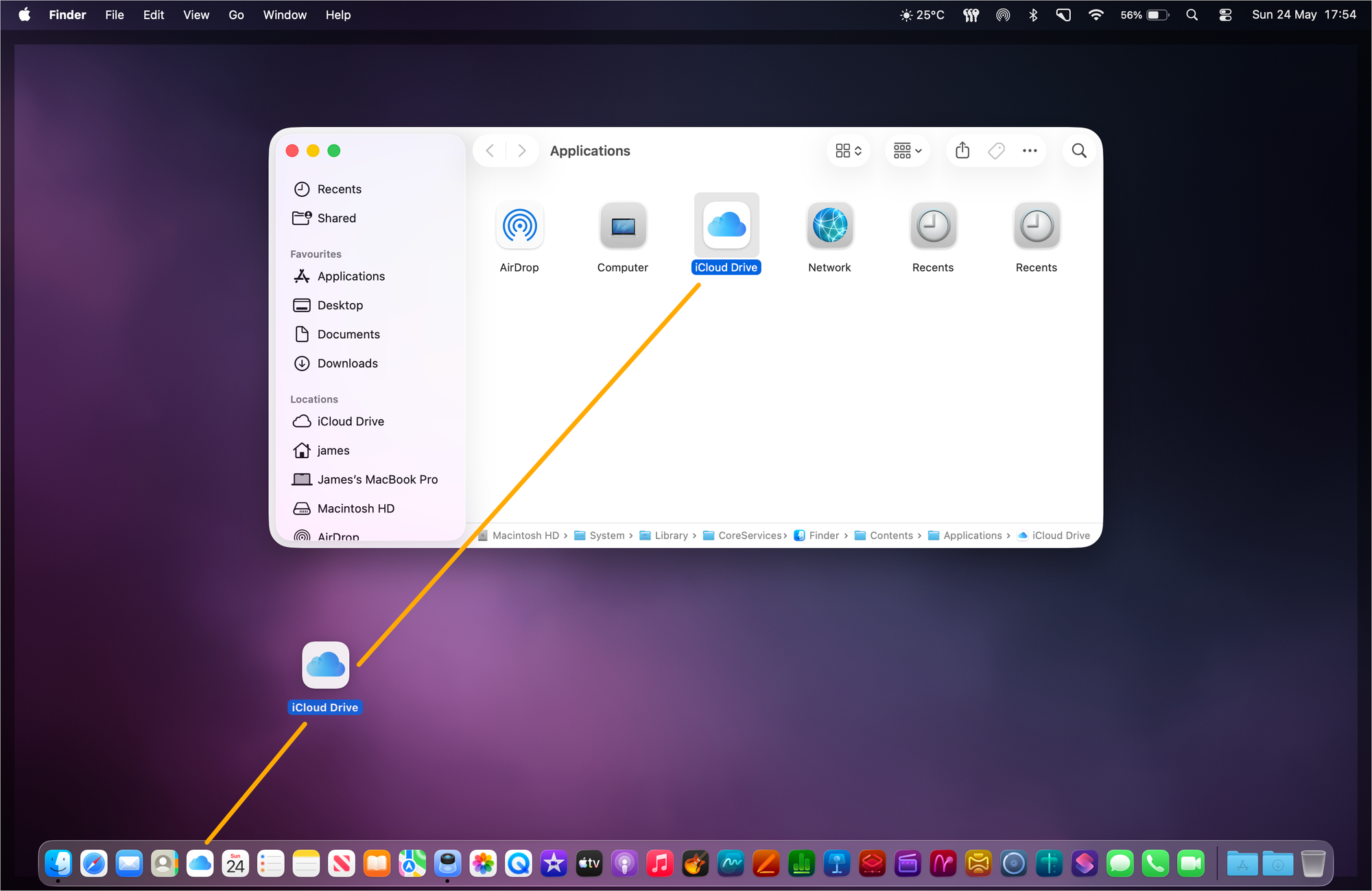
Drag the iCloud Drive app icon to the Dock. As this is an application it will need to be placed on the left-hand side of the Dock divider line (which separates applications and folders).
Dragging the iCloud Drive application icon into the Dock.
To add iCloud Drive to the Dock (as a folder) In MacOS
::WARNING:: Be careful not to drag the iCloud Drive folder on to the desktop as this will make a copy of the folder and its contents there.
Click on the Finder icon in the Dock.
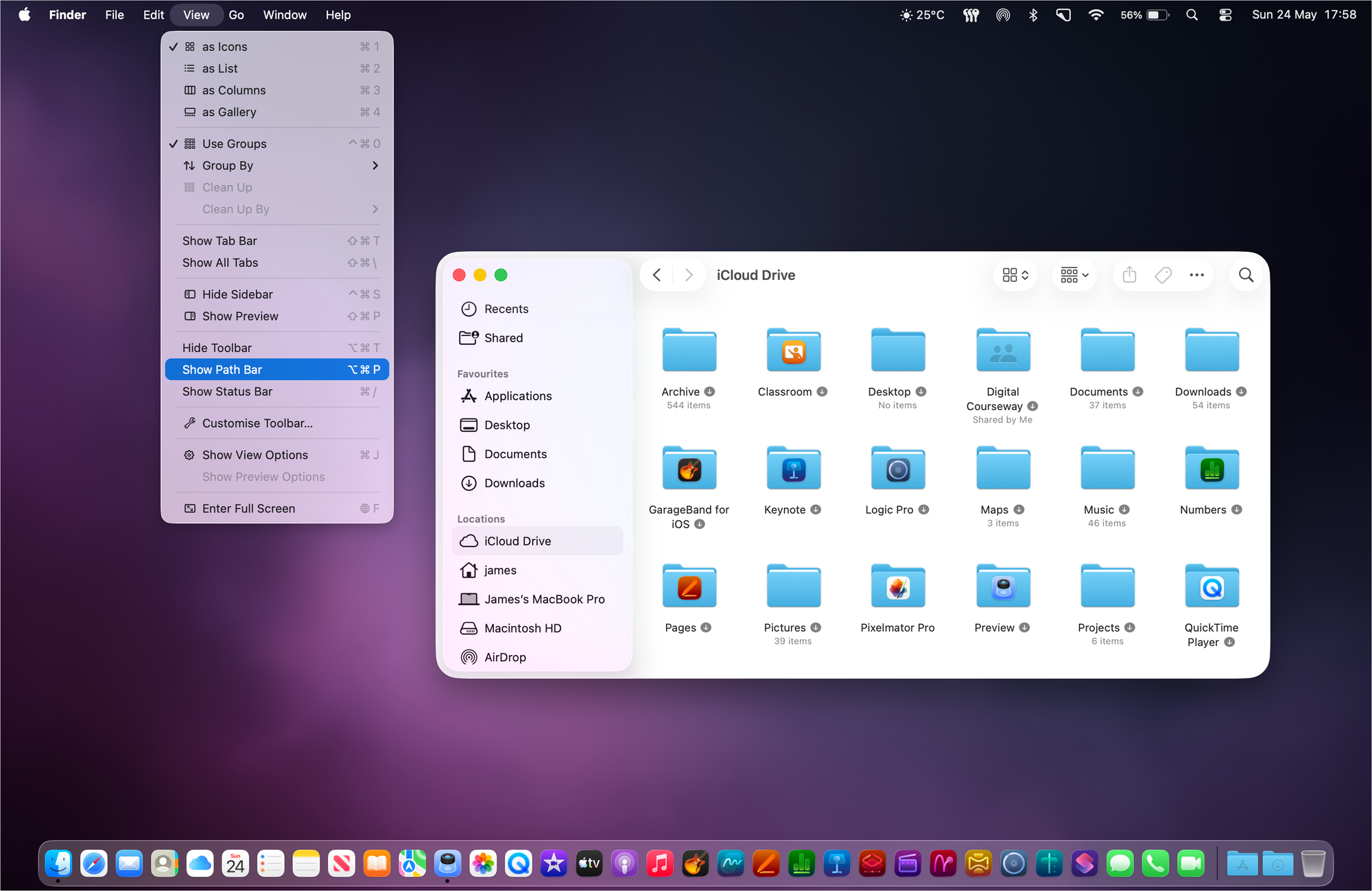
On the Finder menu bar (at the top) click on View > Show Path Bar (if not already shown).
Activating the Path Bar option in the Finder.
On the Finder window click on iCloud Drive from the left-hand side menu.
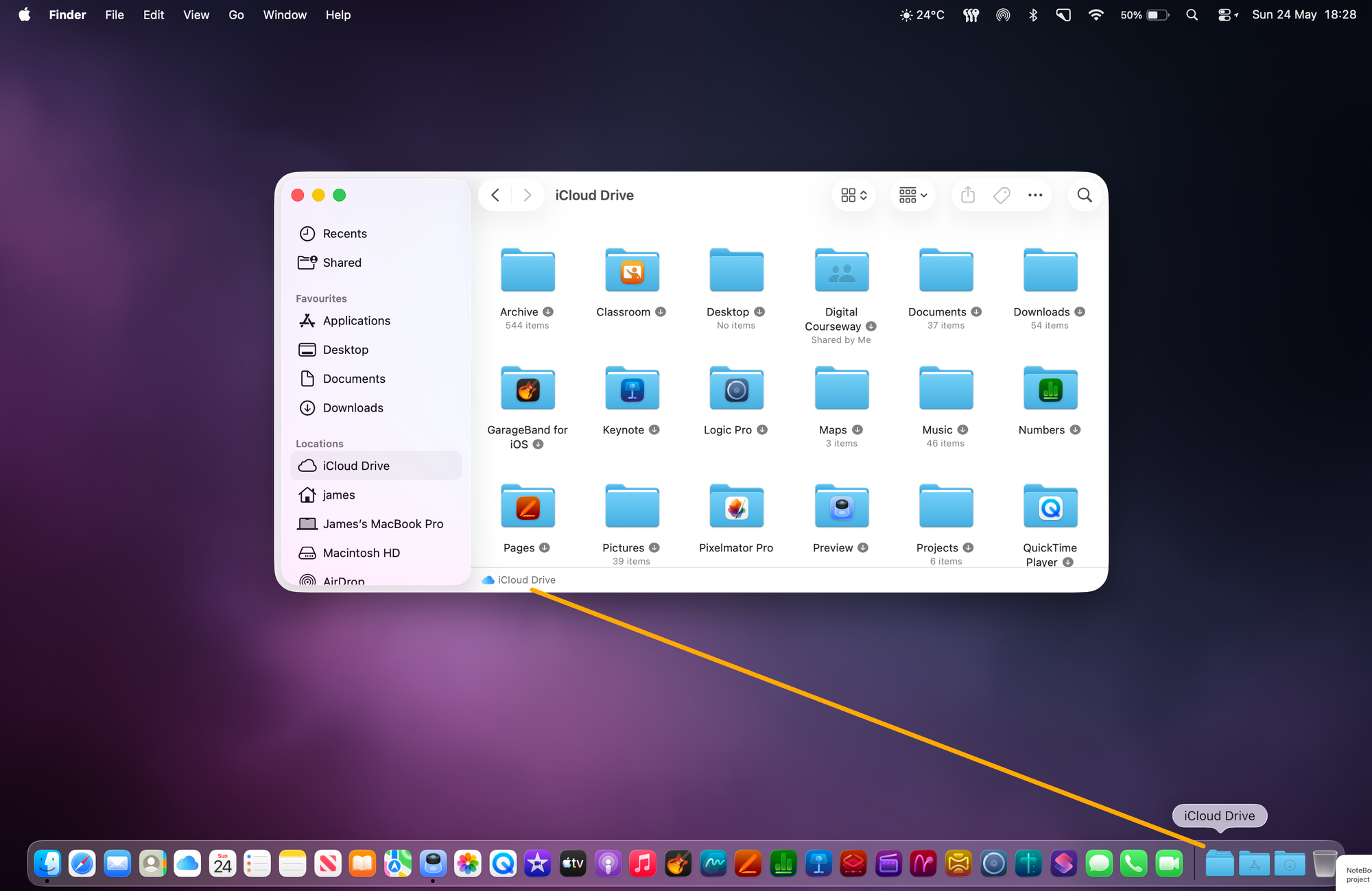
In the path bar at the bottom of the Finder window it says iCloud Drive – drag this into the Dock. As this is a folder it will need to be placed on the right-hand side of the Dock divider line.
Dragging the iCloud Drive folder into the Dock.
Originally posted 11 April, 2025. Updated 24 May, 2026. This works in all versions of macOS and Mac OS X.
How To Manage Your Notifications In HEY Mail. In HEY notifications are kept to a minimum. However, you can get notified of any email that enters the Imbox or of any email you receive from a specific contact, domain or email thread.
Writing a post In HEY World. The HEY email service also includes HEY World: a place for sharing your ideas, and thoughts with the world. We will show you how to write and post using HEY World.
Since iPadOS 13 it has been possible to use a mouse and trackpad natively with the iPad. This can really help to speed up workflows and interactivity with productivity apps in particular. Here we will explain how to connect and configure your devices.